AI & Tech Updates: Siri AI, Gemini Voice, Agentic Commerce & More
Estimated reading time: 5 minutesutes

Category: Newsletter

The lines between insight and action are getting thinner—in the best way possible. AI tools are learning your workflow, design platforms are thinking about accessibility from the jump, and data is showing up faster and more granular than ever before.
If you’re driving strategy, building experiences, or just trying to stay a step ahead, these updates deliver the kind of momentum you can build on.
Here’s what’s inside:
Quick Overview
Meta just rolled out a major update that automatically appends UTM parameters to all ads—making campaign tracking in tools like Google Analytics a whole lot easier. Marketers no longer have to worry about missed attribution due to forgotten UTM tags.
Key Details
Why It Matters
This update bridges a key gap between Meta Ads and external analytics platforms, giving marketers better insights without extra manual work. While automatic tagging helps ensure consistent data, Meta still recommends setting up custom UTM templates for more refined analysis.
Quick Overview
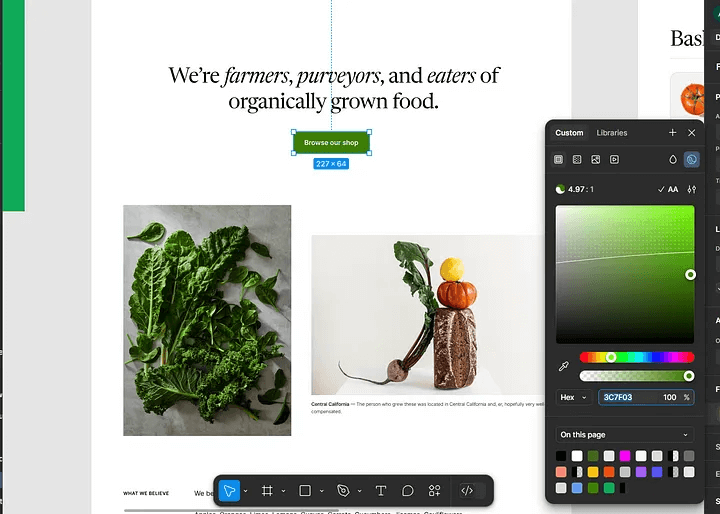
Figma’s April update is packed with smart enhancements—from built-in accessibility tools to polished presentation features and seamless teamwork upgrades. Designers can now move faster, communicate clearer, and build more inclusive experiences—all from within a unified platform.
Key Details
Why It Matters
Design isn’t just about aesthetics—it’s about accessibility, clarity, and flow. Figma’s updates empower teams to build more inclusive and professional experiences while keeping creative momentum high. From better feedback to more dynamic decks, this release makes it easier to design like a pro, together.
Quick Overview
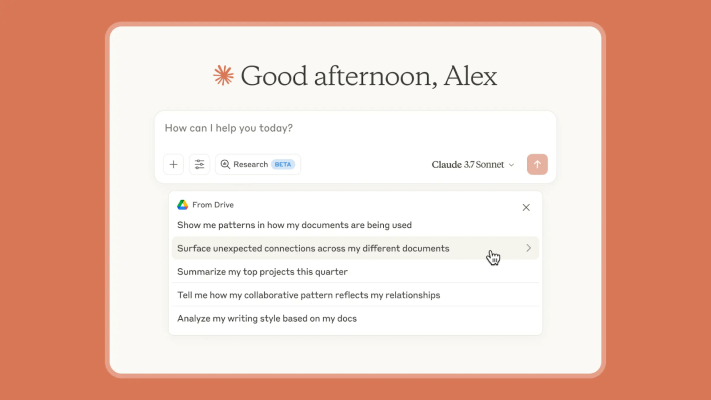
Claude just got a serious upgrade with two new features: intelligent research capabilities and direct integration with Google Workspace. This means AI-powered insights from your docs, emails, and calendar—plus web-based research—all in one smooth experience.
Key Details
Why It Matters
By connecting to your daily tools and doing multi-layered research, Claude becomes a proactive collaborator, not just a chatbot. It’s a major step toward true AI-assisted productivity, saving teams hours of manual digging and letting them focus on what really matters—decision-making and execution.
Quick Overview
Google just rolled out a major upgrade to the Search Analytics API: hourly-level performance data is now available for the past 10 days. This gives SEOs and developers real-time visibility into site performance like never before.
Key Details
Why It Matters
This API update opens the door for more granular and timely performance tracking, debugging, and reporting. Whether you’re monitoring traffic spikes, fine-tuning SEO strategy, or feeding dashboards, you now get near real-time data access programmatically—no more waiting for daily rollups.

Quick Overview
LinkedIn just gave newsletter creators a long-awaited gift—basic email performance metrics. With the addition of Email Sends and Open Rate, users can finally gauge how newsletters are performing via email distribution.
Key Details
Why It Matters
While the new metrics are limited, they’re a major step toward transparency for LinkedIn newsletter creators. These insights help with cross-platform comparisons and give brands more data to assess creator influence. Still, the lack of access to subscriber emails keeps LinkedIn from becoming a full-service newsletter platform—something creators hope will evolve soon.
From smarter AI assistants to faster performance data, this issue proves that progress isn’t just about new features—it’s about how we use them to work better, faster, and with more intention.
At TechArk, we help you turn updates into opportunities. Whether you’re elevating your design process, fine-tuning your SEO, or exploring the next wave of AI tools, we’re here to build digital strategies that grow with you.